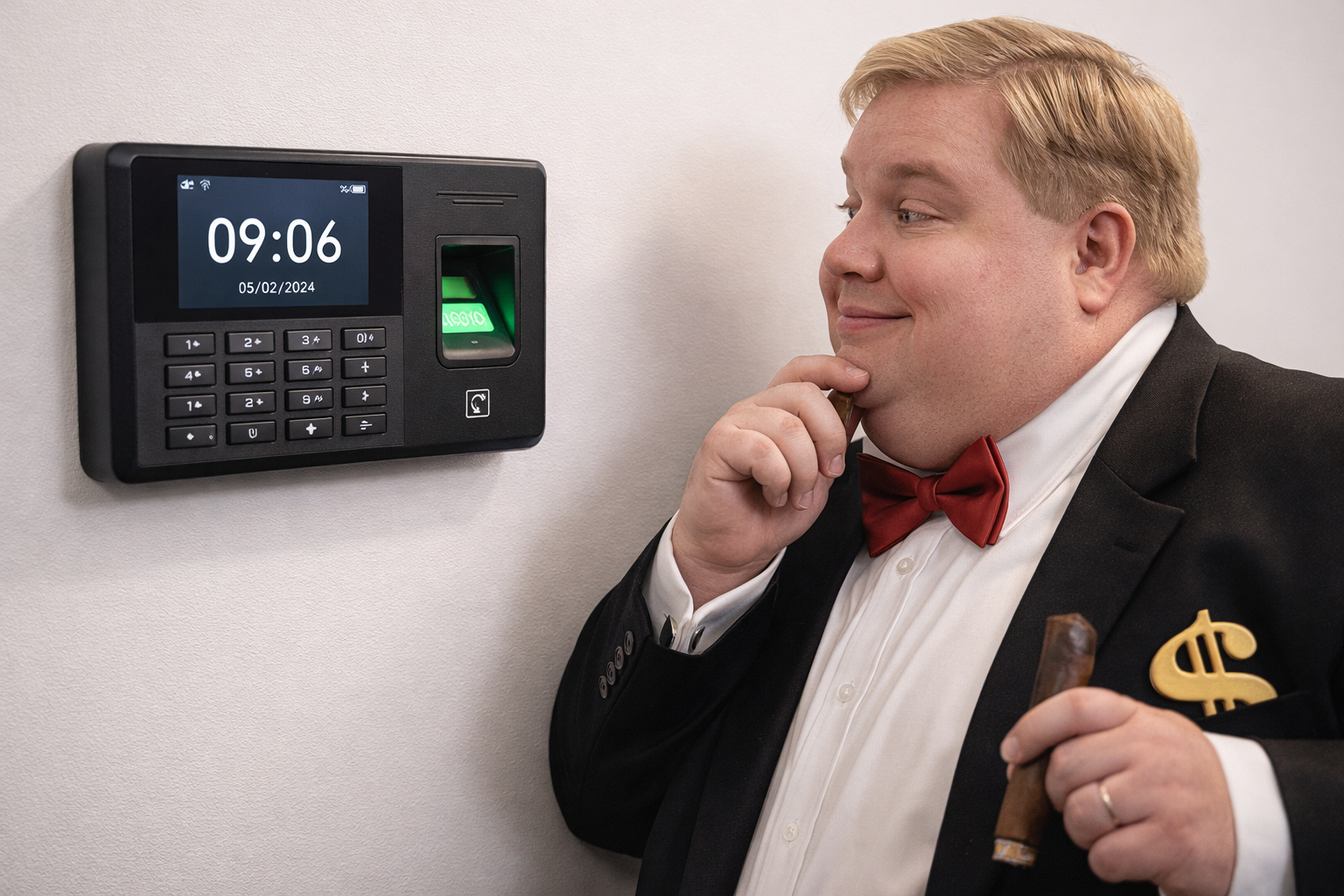
Why Time Clock Systems Matter
Choosing the best time clock system isn’t just about finding something that records hours. It’s about selecting the right clock system that ensures accuracy, compliance, and real-time visibility for both HR and payroll. The right system saves time, reduces errors, and integrates directly with payroll software like Paymaster Payroll to create a single, seamless workflow.
The Benefits of Payroll Integration with Cloud-Based Time and Attendance Solutions
For South African businesses aiming to simplify payroll management, integrating payroll systems with a cloud-based time and attendance software offers a host of benefits:
- Enhanced Accuracy: Automated syncing between your time-tracking system and payroll platform eliminates manual data entry, preventing costly errors and discrepancies.
- Real-Time Data: Managers and HR teams enjoy instant access to up-to-date attendance and hours information, reducing lag and making compliance reporting effortless.
- Seamless Payroll Processing: Cloud-based solutions, when linked with trusted payroll providers such as Paymaster Payroll, automate the calculation of wages, overtime, and leave balances, streamlining pay runs from start to finish.
- Effortless Compliance: These systems help you stay on top of local labour regulations and simplify audit trails, so you’re always prepared for statutory reporting or inspections.
- Improved Efficiency: By automating time tracking and payroll functions, your team can focus on higher-value tasks instead of wrestling with spreadsheets or paper timesheets.
In short, integrating your payroll with a modern time and attendance solution isn’t just about keeping neat digital records—it’s about building a smarter, more efficient HR and payroll ecosystem.
Core Features Every Time Clock System Should Have
A professional time and attendance solution should go beyond basic clock-ins. Here are the essentials:
✅ Biometric verification – Fingerprint or facial recognition ensures that each employee clocks in personally, eliminating buddy punching.
✅ Offline and backup support – Data should still capture even when the internet goes down, syncing automatically once reconnected.
✅ GPS and geofencing – For field staff or remote teams, this confirms clock-ins happen only from approved work locations.
✅ Payroll integration – Direct exports into payroll systems like Paymaster remove manual re-entry, cutting down on admin time and errors.
✅ User-friendly interface – Simple dashboards help employees and managers access data quickly without training.
✅ Shift and overtime rules – Systems must handle complex schedules, rounding, and overtime calculations automatically.
✅ Leave and absence tracking – Employees should be able to apply for leave and view balances directly through the same platform.
✅ Comprehensive reporting – Real-time dashboards and reports let managers spot absenteeism, overtime, or compliance issues fast.
What to Consider When Choosing a Clocking System for Your Business Size and Industry
Selecting the ideal clocking system isn’t a one-size-fits-all exercise. The best solution depends on various factors unique to your business—starting with the number of employees and the nature of your industry. Here’s what to keep in mind:
- Employee Headcount Matters:
- For smaller teams, a straightforward biometric or app-based system (like those from ZKTeco or Suprema) might be all you need. These systems are affordable, easy to install, and require minimal setup.
- Medium to large enterprises should look for scalable solutions that offer advanced reporting, integration capabilities, and can handle hundreds (or even thousands) of users without lag or data loss.
- Industry-Specific Needs:
- If you manage a retail, hospitality, or manufacturing business, consider rugged hardware options and systems that can support shift-based tracking and multiple locations.
- For field service or remote teams, GPS-enabled mobile apps ensure attendance is accurately logged no matter where employees are working.
- Highly-regulated industries (such as healthcare or security) should prioritise solutions with robust audit trails, comprehensive access logs, and compliance certification.
- Integration and Customisability:
- Choose systems designed to “talk” directly to your payroll, leave management, or HR platforms—saving countless admin hours.
- Look for configurable rules for overtime, shifts, and attendance policies so the technology fits your business, not the other way around.
- Ease of Use and Support:
- A good clocking system is only as reliable as the people using it. Intuitive interfaces—backed by responsive local support—mean faster rollout and fewer disruptions.
Carefully weighing these factors ensures you choose a system that isn’t just a checkbox for HR compliance, but a tool that genuinely serves your business as it grows.
Most Budget-Friendly Biometric Solutions for Access Control
When it comes to finding cost-effective biometric solutions for access control and attendance tracking, South African businesses have more options than ever. These tools aren’t just for big corporations—the current market offers reliable, professional-grade devices at prices that won’t break your payroll budget.
What Makes a Biometric System “Budget-Friendly”?
The most affordable biometric systems typically balance price, essential features, and ease of use. Here’s what to look for:
- Fingerprint scanners: Tried-and-tested, these devices are widely available from brands like ZKTeco and Suprema, offering reliable access at entry-level pricing.
- Face recognition terminals: New models from companies such as Hikvision and Realtime are now available for small businesses, delivering touchless entry on a budget.
- All-in-one clocking apps: Mobile-based biometric apps are another cost-saving choice, especially for remote teams needing both clock-in authentication and basic GPS validation.
- Free or low-fee cloud services: Solutions with no upfront software cost (just a small monthly subscription), like Deputy or TimeTec, keep investment minimal while bringing biometric attendance online.
Top Budget-Friendly Biometric Devices for Retirement Homes and Healthcare
Affordable biometric clock-in solutions have become a practical option for retirement homes, frail care facilities, and healthcare centers that need reliability without hefty price tags. The right devices can help you streamline attendance, maintain compliance, and ensure accountability—no matter the round-the-clock demands of the healthcare environment.
Here are a few options tailored for medical and care facilities:
- Entry-level fingerprint scanners: Devices from established manufacturers like ZKTeco and Suprema deliver robust performance on a budget. Their compact designs integrate easily at nursing station entrances or staff backrooms and offer proven accuracy for round-the-clock shifts.
- Basic face recognition terminals: Modern units from brands like Hikvision and Realtime offer hygienic, contactless verification. They’re particularly useful in healthcare settings where infection control is a priority, providing quick clock-ins even for staff wearing gloves or masks.
- Mobile biometric clocking apps: For facilities with offsite nurses or home care staff, apps that enable face or fingerprint clock-ins via smartphones (while capturing GPS location) provide flexibility and real-time transparency. Solutions like Deputy and TimeTec make implementation straightforward with low monthly fees and no big hardware investment.
Across these categories, affordable biometric systems ensure you capture every clock-in securely, reduce manual errors, and lighten the admin load—precisely what’s needed to prioritize care while managing a busy team.
Other Tips for Affordable Implementation:
- Choose hardware that integrates easily with cloud or payroll platforms like Paymaster.
- Select entry-level models for small teams, expanding later as your workforce grows.
- Consider bundled starter kits—they often include essential software and technical support.
Ultimately, budget-friendly biometric devices now deliver the same core benefits as pricier enterprise systems: better accountability, real-time access logs, and reduced admin. Small business owners can confidently adopt these modern tools for a fraction of yesterday’s costs.
What to Expect: Price Ranges & Key Considerations for Biometric Access Devices
For small businesses exploring biometric access control, the good news is: you don’t need a Fortune 500 budget. Entry-level fingerprint terminals from reputable brands like ZKTeco and Suprema can start as low as R2,000–R5,000 per device, with face recognition terminals ranging from R4,000 up, depending on features and capacity. Mobile-based biometric apps may cost less upfront or operate on monthly subscriptions, keeping investment ultra-manageable.
But cost isn’t everything—here’s how to stack the odds in your favor:
- Check compatibility: Ensure the device integrates seamlessly with your payroll or attendance system (especially platforms like Paymaster).
- Prioritize support and upgrades: Look for brands with local support and easy firmware updates—nobody wants a brick after year one.
- Calculate total cost of ownership: Consider accessories (mounts, power supplies), software or cloud fees, and any training required.
- Match features to your needs: Don’t pay for bells and whistles you won’t use—smaller teams may get by just fine with basic fingerprint models, while field staff might benefit from mobile apps with GPS.
By weighing upfront price against long-term usability, small businesses can unlock the genuine value of biometric access control—no massive capital required.
Choosing the Right Hardware Brand for Your Time Clock System
When evaluating time clock hardware, the brand you select can have a major impact on reliability, support, and integration with your preferred software. Here’s what to keep in mind:
- Biometric Accuracy: Not all fingerprint or facial recognition sensors are created equal. Look for proven reliability to reduce false rejections and spoofing.
- Integration Compatibility: Make sure the device works smoothly with your attendance and payroll software—especially if you require direct Paymaster integration.
- Durability and Build Quality: For high-traffic workplaces or outdoor settings, hardware robustness is crucial. Some brands offer enhanced weather and tamper resistance.
- Support and Warranty: Check for local technical support, firmware updates, and reasonable warranty terms. The last thing you want is downtime due to a slow response on faulty equipment.
- Feature Set: Consider extras like network options (Wi-Fi, ethernet), card readers, or multi-modal biometrics for added flexibility and security.
- Total Cost of Ownership: Balance initial price with long-term value. Cheaper devices can end up costing more through maintenance, limited compatibility, or poor lifespan.
By prioritizing these factors, you’re more likely to choose hardware that fits your business requirements—whether you opt for established names like Suprema, ZK, Morpho, or Hikvision.
The Value of Local Partnerships in Time Clock Implementation
When it comes to rolling out a new time clock system, partnering with local business specialists can make a world of difference. Here’s how teaming up with nearby experts helps ensure your system runs smoothly from day one:
- Faster Support and Service – Local partners can provide on-the-ground assistance when you need it most, from installation to troubleshooting. There’s no waiting for overseas support or navigating complex call centers.
- Tailored Solutions for South African Businesses – Regional experts understand the unique needs and compliance requirements of local industries. They’re familiar with South African labor laws, leave structures, and payroll standards.
- Smooth Integration with Payroll Providers – Working with partners who already have experience integrating with payroll systems like Paymaster Payroll means data flows seamlessly, reducing setup headaches.
- Training That Suits Your Team – Local providers can offer in-person training or support in your language, helping employees and managers get up to speed fast.
- Ongoing Relationship and Proactive Management – It’s easier to build a lasting relationship with a partner nearby. They’re able to proactively update your system and recommend best practices as your business evolves.
Ultimately, choosing a local partner means you’re not just buying software—you’re gaining a service ally who knows your market, speaks your language, and can back your business up when it matters most.
Best Practices for Mounting Staff Clocking Terminals
When it comes to installing staff clocking terminals, placement matters just as much as the technology itself. Here’s what to keep in mind to ensure your biometric or proximity terminals work reliably—and keep attendance data clean:
- Indoor vs Outdoor Placement:
For most businesses, placing terminals indoors offers the best protection against dust, rain, and temperature extremes. If you have staff clocking in at a retail entrance, warehouse dock, or security gate, consider rugged outdoor models rated for weather resistance (IP65 or higher). - Accessibility:
Position terminals near primary entry and exit points. Make sure employees don’t have to detour out of their normal route, which encourages consistent use and reduces bottlenecks during shift changes. - Security & Visibility:
Install units in well-lit, supervised areas to deter time theft or vandalism. In high-traffic environments, wall-mounting at shoulder height (about 1.2–1.4m from the floor) works best for fingerprint or facial scanners. - Power & Connectivity:
Ensure access to reliable power outlets, with battery backup if your system supports it. For sites where network cables aren’t practical, choose terminals with Wi-Fi or 4G backup to maintain data flow. - Ease of Maintenance:
Leave enough space around the terminal for cleaning and future servicing. Avoid mounting in direct sunlight, which can cause glare on screens or overheating in summer.
By following these best practices, your time clock hardware will remain easy for staff to use, accurate in data capture, and less prone to environmental hiccups.
How Face Clock-In Breathalyser Systems Enhance Restaurant Staff Management
Keeping a restaurant running smoothly means more than just tracking when staff arrive—it also involves ensuring a safe and sober work environment. That’s where face clock-in systems with integrated breathalysers make a real difference.
How It Works
These modern systems combine facial recognition with a breathalyser unit in a single clock-in device. When staff arrive for their shift, the process is simple:
- Biometric authentication: The system uses facial recognition to verify each employee’s identity, ensuring only authorised staff can clock in (no more buddy punching).
- Alcohol screening: Immediately after, the staff member breathes into a built-in breathalyser. The device checks for blood alcohol content within seconds.
- Automatic record keeping: The system logs both the clock-in time and the alcohol screening result, storing data securely and making it instantly available for management review.
Why It Matters for Workplace Safety
In high-tempo restaurant environments, safety is non-negotiable. Alcohol consumption on the job can increase the risk of accidents and jeopardise both staff and customer safety. An integrated breathalyser system:
- Promotes accountability by screening every shift, every day.
- Prevents liability—if an incident occurs, you have a digital record showing your commitment to due diligence.
- Builds a culture of responsibility where both management and staff understand that safety comes first.
By merging biometric clock-ins and alcohol screening, restaurant owners and managers get instant, verifiable assurance that every team member is fit for duty, supporting both compliance and peace of mind.
Why TimeMaster Meets These Requirements
TimeMaster delivers all of these core features — and more. With biometric accuracy, cloud access, and seamless Paymaster Payroll integration, it automates your attendance management from start to finish. Real-time dashboards, roster management, and mobile clocking make it ideal for modern businesses that value precision and accountability.
Conclusion
The best time clock system combines accuracy, automation, and compliance. By choosing TimeMaster, businesses can manage attendance with confidence and streamline payroll without manual errors. A system built for growth, simplicity, and reliability — TimeMaster ensures every minute counts.
📌 Watch how it works here: TimeMaster Video
📧 glen@timemaster.co.za
🌐 www.timemaster.co.za
🟢 WhatsApp 083 679 1311
📚 Resources Used
📌 Paymaster Payroll
📌 Forbes – Payroll Automation Benefits
📌 Deloitte Insights – Digital Workforce Trends
📌 SelectHub – Time and Attendance System Features
📌 Hrmaster – Best Time Clock Software
📌 Labour Guide South Africa