
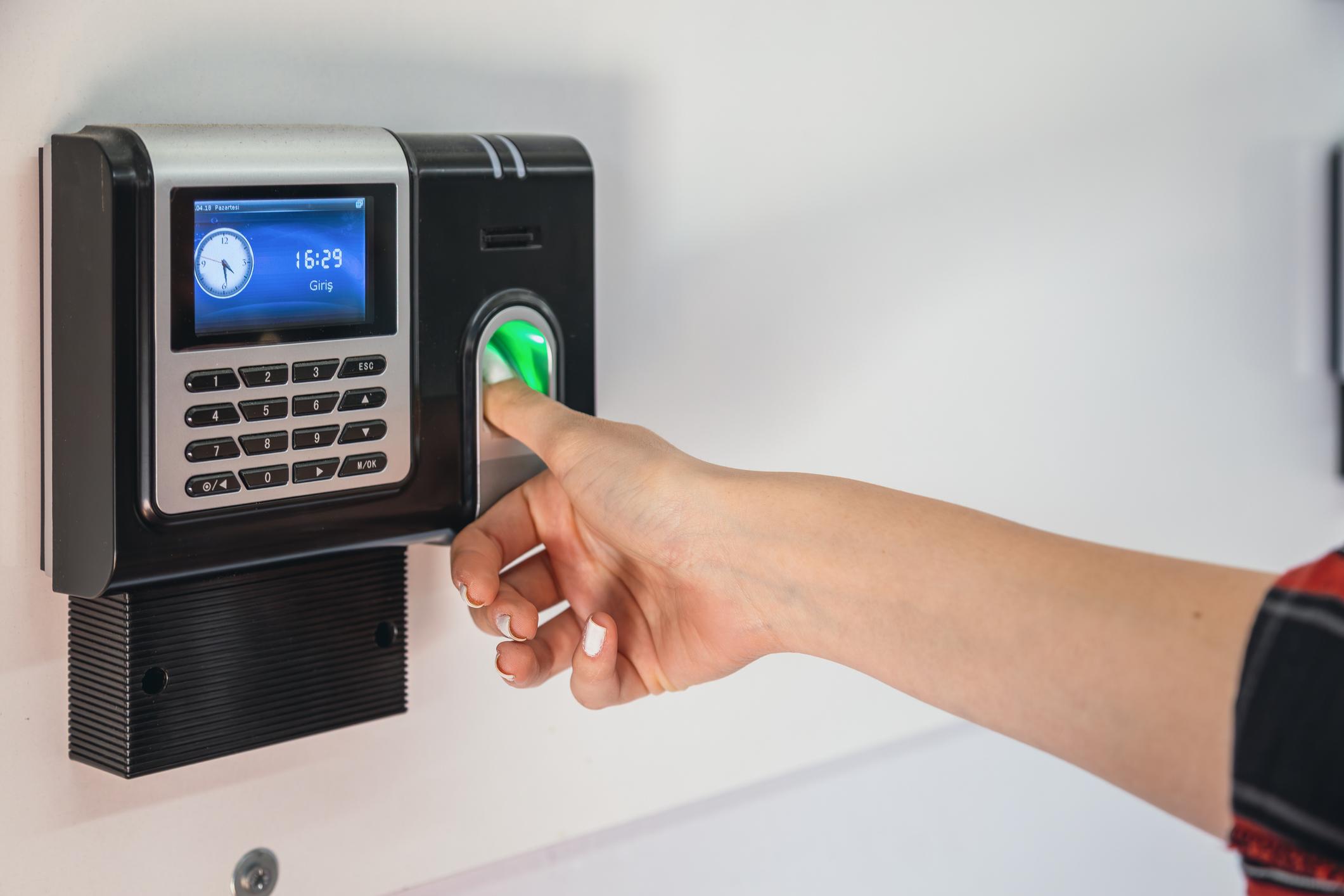
Why Zambia is Switching to Fingerprint Attendance
In Zambia, businesses are increasingly replacing manual attendance logs and PIN-based systems with the right fingerprint attendance system. Why? Because older methods allow time theft, buddy punching, and payroll errors that cost companies thousands each month.
The right fingerprint system ensures that only the employee can clock in or out—no shared pins, no forged entries, and no missed clock-ins. It’s a smart, secure, and reliable way to manage time and attendance across all industries.
Modern fingerprint attendance systems aren’t just about fingerprints, either. Many offer multiple identification methods, including password entry and RFID or IC card scanning. This flexibility is ideal for handling different employee needs—such as visitors, contractors, or those who work offsite. Advanced devices even support 360° fingerprint scanning, making clocking in fast and foolproof from any angle. Reports are easy to extract for HR, and setup is typically a breeze.
With biometric systems, you gain not only security but also convenience and efficiency, letting you say goodbye to paperwork and payroll headaches for good.
Smarter Door Access and Enhanced Security
Modern fingerprint attendance systems aren’t just about tracking employee hours—they double as advanced door access solutions. With biometric controls, only authorized staff can unlock secure areas, using either their fingerprint or a registered ID card. This prevents unauthorized entry and completely eliminates the risks of lost or stolen keys.
For even stronger security, many systems integrate with CCTV cameras. You not only capture each entry and exit, but you also get real-time video records tied to each fingerprint scan. Detailed logs—exportable via Excel—make audits, compliance checks, and incident reviews simple and efficient. This approach brings Zambian businesses peace of mind, ensuring workspaces stay secure with minimal effort.
Case Study: Lusaka Workshop Solves Payroll Headaches
A mechanical workshop in Lusaka used paper registers for years. Staff would sign in for absent colleagues. Supervisors struggled to validate who actually worked. HR wasted hours fixing errors.
They upgraded to TimeMaster’s fingerprint attendance system. Every employee now clocks in using a fingerprint scanner. The data syncs instantly to a cloud dashboard and directly connects to Paymaster payroll. Attendance became transparent. Errors stopped. And payroll processing became 100% accurate.
But the benefits didn’t stop at clock-ins and payroll. HR and supervisors gained access to insightful, real-time attendance reports—no more sifting through paper registers or chasing down missing timesheets. Now, sick leave, holidays, and overtime are all tracked automatically, with reports ready for download in Excel and even daily summaries sent straight to managers’ inboxes.
The system also brought new flexibility. Employees can request leave or overtime through the same platform, with built-in approval workflows that make it easy for supervisors to sign off. Shift schedules, holiday calendars, and even special exceptions are managed centrally—no more confusion or manual updates.
HR teams can now spot patterns like late arrivals or frequent absences, helping them plan staffing better and reward reliable employees. If someone finishes early for a meeting or works late, the system notes it automatically, so payroll always matches reality. And if a department needs custom attendance data—for audits, NAPSA, or ZRA compliance—the system serves it up in just a few clicks.
In short, what was once a headache of manual tracking and endless corrections is now a streamlined, automated process—letting the workshop focus on getting the real work done.
Benefits of Fingerprint Attendance Systems
- ✅ No buddy punching – Each clock-in is verified by fingerprint
- ✅ Real-time data – Track attendance live from any device
- ✅ Payroll accuracy – Syncs directly with Paymaster or your payroll software
- ✅ Compliance-ready – Aligns with Zambian labour laws (NAPSA, ZRA, etc.)
- ✅ Easy setup – Ideal for offices, shops, warehouses, and remote sites
- ✅ Offline backup – Some devices continue capturing data even when internet drops
Flexible Reporting and Export Options
TimeMaster’s system makes reporting a breeze—no more mountains of paperwork or complicated data pulls. With just a few clicks, you can:
- Export detailed attendance or leave records for each employee or entire departments straight to an Excel file.
- Generate comprehensive monthly summaries that capture leave balances and attendance statistics—perfect for reviews or audits.
- Quickly create department-level reports, showing leave balances across teams.
- Need to share data with Sage Payroll or other payroll platforms? You can export attendance and leave information into a TXT file that imports seamlessly.
All your records, available in formats that save you time and fit effortlessly into your payroll and HR processes.
Attendance and Leave Reports at Your Fingertips
A robust biometric attendance system does more than just clock staff in and out—it offers you a full suite of reports to simplify HR tasks and payroll.
Here’s what you can expect:
- Daily Attendance Reports: Instantly view which employees checked in, when, and where. Perfect for supervisors keeping tabs on shifts.
- Monthly Attendance Summaries: Get a big-picture overview of presence, absences, late arrivals, and overtime over any date range.
- Leave Tracking: Access detailed reports on all types of leave, including sick days, vacation, and special leave—plus an up-to-date leave balance for every employee.
- Shift Schedules & Reports: See which team members worked which shifts throughout the month, helping you plan resources and ensure compliance with local regulations.
- Custom Export Options: Easily export attendance and leave reports to Excel or text files for further analysis, sharing, or seamless upload to popular HR and payroll systems such as Sage and Paymaster.
With clear, accurate records at your fingertips, you can make smarter business decisions and keep your workforce running smoothly.
Advanced HR Tools for Seamless Administrative Control
Beyond simple clock-ins and clock-outs, the latest attendance systems bring powerful features that give HR departments complete control over workforce management.
Streamlined Leave and Overtime Management
Managing leave and overtime shouldn’t be a headache. With customizable settings, HR personnel can:
- Set up departments and job roles for clear reporting lines.
- Automate leave requests with built-in approval workflows—requests route directly to supervisors.
- Process overtime applications just as easily, ensuring every extra hour is properly tracked and approved.
- Assist multiple employees at once when group leave or attendance adjustments are needed, perfect for handling department-wide changes.
- Instantly reject invalid leave requests and log detailed reasons for anomalies, all from one central dashboard.
Quickly Resolve Attendance Discrepancies
No more sifting through stacks of paperwork to verify excuses or sort out errors. HR teams can:
- Flag and edit attendance anomalies, like forgotten clock-ins or unexpected absences—with robust audit trails for compliance.
- Add clear reasons for any attendance adjustment, keeping records accurate for both managers and employees.
Flexible, Detailed Reporting
Stay audit-ready and make informed decisions with a range of export options:
- Generate reports in Excel for attendance, leave balances, and monthly statistics—by department or for individual employees.
- Export attendance data directly to Sage Payroll and other payroll software, eliminating manual data entry and reducing errors.
- Produce leave summaries, balances, and time-off histories with just a few clicks.
With these capabilities, HR departments can stop wasting time on manual corrections and focus on supporting staff, enforcing policies, and driving productivity.
Streamlining Leave and Overtime Approvals with Biometrics
With a biometric attendance system, managing leave and overtime approvals becomes straightforward and transparent. Instead of relying on paper forms or email chains, everything flows through one central platform linked to each employee’s fingerprint profile.
Here’s how it works:
- Leave Requests Simplified: Employees can apply for leave right from the attendance portal. Their supervisor receives an instant notification to review and approve (or decline) the request, all with a secure digital record—no more lost paperwork or confusion about who’s off and when.
- Overtime Requests with Accountability: If extra hours are needed, staff submit overtime requests through the system. Each request is tied to clock-in and clock-out times, making it easy for supervisors to verify before approving.
- Real-Time Status Tracking: Both employees and HR can track the status of applications anytime—no need to chase down signatures or wonder if a request was seen.
- Automated Audit Trails: Every approval, rejection, or adjustment leaves a secure, time-stamped record for full accountability and compliance.
This digital workflow not only reduces admin headaches, but ensures every step—whether it’s leave, overtime, or correcting an error—has a clear approval path. The result? Less room for error, greater transparency, and smoother HR operations.
HR Features You Can Manage with Fingerprint Systems
Modern fingerprint systems offer much more than just clock-ins and clock-outs—they double as robust HR tools designed to simplify workforce management for Zambian businesses of any size. Here are the key HR features you can manage right inside your biometric system:
- Employee Permissions and Roles
Easily assign different access levels for managers, supervisors, HR, or general staff. Only those with the right permissions can view or edit sensitive data, keeping your records secure and your processes compliant. - Employee Information Management
Store and update all your staff’s critical details—contact info, job roles, departments, and more—directly within the system. No more juggling between spreadsheets or outdated filing cabinets. - Holiday and Leave Management
Set up Zambian public holidays, school breaks, and even custom company leave days. Schedules can automatically reflect any special holiday—preventing confusion and making payroll calculations a breeze. - Automated Work Schedules and Shift Planning
Set standard shifts for your team or customise rosters for shift-based work. Many systems generate monthly schedules automatically, with easy editing for last-minute changes. - Automated Attendance Data Collection
Biometric devices link seamlessly to your HR system, pulling in real-time attendance data so you never miss a beat. - Daily Reports, Department Reports, and Email Alerts
The system can send daily attendance summaries to your HR or management team’s inbox. Export comprehensive Excel reports for the whole company, or filter by department for targeted insights.
With these powerful features under one roof, your fingerprint attendance system can become the backbone of reliable, time-saving HR processes.
Flexible Time Clock Options for Every Workplace
Need to track attendance for both onsite and remote staff? Modern fingerprint systems like TimeMaster are built for flexibility, offering several ways for employees to clock in:
- Biometric fingerprint scan: The most secure and popular method. Each person clocks in using their unique fingerprint—no usernames, no PINs to share.
- PIN codes: Great for backup situations or where fingerprint entry isn’t practical. Each employee receives a personalized code.
- RFID cards: Simple scan-and-go cards (included with many devices) make it easy for staff who may have messy hands or are working in environments where fingerprints aren’t ideal—think construction, repair shops, or busy warehouses.
With these entry options available, you can mix and match the best time clock methods for your team’s needs—whether they’re onsite daily or occasionally working offsite.
Capacity That Grows with Your Team
A quality fingerprint attendance system, like TimeMaster, is built to handle the demands of both small businesses and larger organisations. Typically, these systems can support up to 1,000 unique employees and securely log as many as 100,000 attendance transactions.
That means whether you’re tracking a tight-knit team or a growing workforce spread over multiple shifts, every scan is accurately recorded—giving you reliable, up-to-date timesheets you can trust. No more worrying about system overload or missing records as your business scales up.
What to Expect: Typical Fingerprint Attendance System Specs
Curious what a biometric attendance system actually delivers under the hood? Here’s what most modern fingerprint-based time clocks bring to the table:
- User and Fingerprint Capacity
Most systems securely store profiles for 1,000+ users—each with multiple fingerprint templates if needed. That means you can register every member of your team, with room to grow. - Attendance Record Storage
Advanced devices track up to 100,000 clock-in or clock-out events within their onboard memory, so you never lose track—even if your internet drops temporarily. - Flexible Identification Options
Not just fingerprints. Employees can log in with passcodes or IC cards too, offering backup methods for tricky fingerprints or unique site requirements. - Fast Recognition Time
No hold-ups at shift change. Industry-standard scanners identify users in less than 5 seconds, keeping queues moving and productivity up. - Connecting to Your Network
Transfer attendance data using USB drive, plug-and-play USB cable, standard Ethernet (TCP/IP), or even over WiFi—making installation a breeze, even if your IT is basic. - Robust and Reliable Hardware
Expect durable, high-precision optical fingerprint readers, paired with clear colour LCD screens (often 8 inches or more) for easy navigation and real-time feedback. - Power Supply
Modern units run on low-voltage DC5V adapters and typically include a built-in battery—so your attendance records are safe during short power cuts. - Space-Saving Design
Compact footprints (roughly the size of a paperback book) let you mount the device near any entrance or time clock station without clutter.
With these specs, you get a tool that’s as robust as anything you’ll find in Johannesburg or Nairobi—tailored for Zambian workplaces large and small.
Reliable Attendance—Even During Power Outages
Load shedding and surprise blackouts are a fact of life in Zambia, but that shouldn’t disrupt your attendance records. Top biometric attendance systems come with built-in backup batteries, keeping the fingerprint clocks running for four to six hours on a single charge.
So, even when the lights go out in Lusaka or Kitwe, your employees can still check in and out without missing a beat. Attendance data remains fully captured and secure—no manual logs, no confusion, and no payroll gaps. That’s peace of mind for every sector, from hospitals to hardware stores.
Flexible Connectivity for Any Workplace
No matter where your team is clocking in—from urban offices to rural construction sites—today’s biometric attendance systems offer a range of connectivity options to fit your setup. You can connect devices via USB for quick data transfers, plug into Ethernet (RJ45) for a stable network connection, or take advantage of built-in Wi-Fi for wireless convenience. Some systems even support data backups through a simple flash drive (U-disk), so you stay covered if your internet fades. This flexibility makes it easy to scale and adapt your attendance tracking as your business grows.
Door Access Control and Smart Reporting
Fingerprint attendance systems aren’t just about clocking in and out—they can also manage secure door access. With integrated access control, only registered fingerprints (or, if needed, RFID cards) unlock doors, keeping sensitive areas safe.
Flexible Access Reports
- Generate detailed entry/exit logs for every employee, exportable as Excel or PDF files.
- Monitor access in real-time and review who entered or exited specific areas across your site.
- Simple integration with systems like Hikvision or Dahua makes it easier to connect attendance data with your security protocols.
CCTV Integration for Complete Oversight
- Pair your attendance system with CCTV for added transparency.
- Automatically match clock-in/out records with footage, so you can review video clips of each access event.
- Ideal for businesses wanting both airtight security and clear, audit-ready attendance records.
Works Across All Sectors in Zambia
Whether you manage a retail store in Ndola, a school in Chipata, a construction crew in Kitwe, or a hospital in Lusaka—TimeMaster’s fingerprint system adapts to your needs and scales as you grow.
Flexible Features for Every Workplace
With TimeMaster, you’re not just getting a simple clock-in system—you’re unlocking a fully customizable HR and attendance solution designed for Zambian businesses of every size.
- Custom Permissions: Set unique access levels for each employee to keep sensitive data secure.
- Employee Information Management: Easily maintain up-to-date employee records and manage shifts, departments, and positions.
- Smart Scheduling: Automatically generate monthly work schedules, including national and special holidays, with the flexibility to modify as needed.
- Seamless Attendance Tracking: Fingerprint data is captured and synced instantly, and you can export daily reports for HR, managers, or payroll.
- Automated Reporting: Get daily attendance summaries via email, export attendance by department or individual, and generate detailed leave and attendance reports in Excel—perfect for quick analysis or integration with payroll systems like Sage.
- Leave & Overtime Management: Employees can apply for leave or overtime right in the system, with supervisor approval built in. HR can manage leave requests, handle attendance exceptions, and keep everything compliant with local labour laws.
- Department & Position Management: Set up departments, manage job transfers with effective dates, and ensure everyone is in the right place on the org chart.
- Offline Resilience: Even if the internet drops, select devices continue capturing data, so you never lose track of attendance.
No matter the sector—retail, education, construction, or healthcare—this system gives you modern tools to streamline HR, boost accountability, and simplify payroll, all tailored for Zambia’s unique business landscape.
Ready to Take Control of Your Workforce?
TimeMaster helps Zambian businesses improve attendance, boost accountability, and simplify payroll—all with one fingerprint scan.
Ready to Improve Payroll Accuracy Across Your Organisation?
Try Paymaster today. Connect it with TimeMaster’s fingerprint attendance system for seamless, end-to-end payroll automation.
🎥 Watch Our Demo Video
👉 https://www.youtube.com/watch?v=rEBpzh1RfA0&t=2s
Contact TimeMaster Zambia
📧 glen@timemaster.co.za
🌐 www.timemaster.co.za
📞 083 679 1311


